

Digital Door Lock: The Complete Buyer’s Guide to Keyless Home Security in 2026

Introduction – Problem-Solution
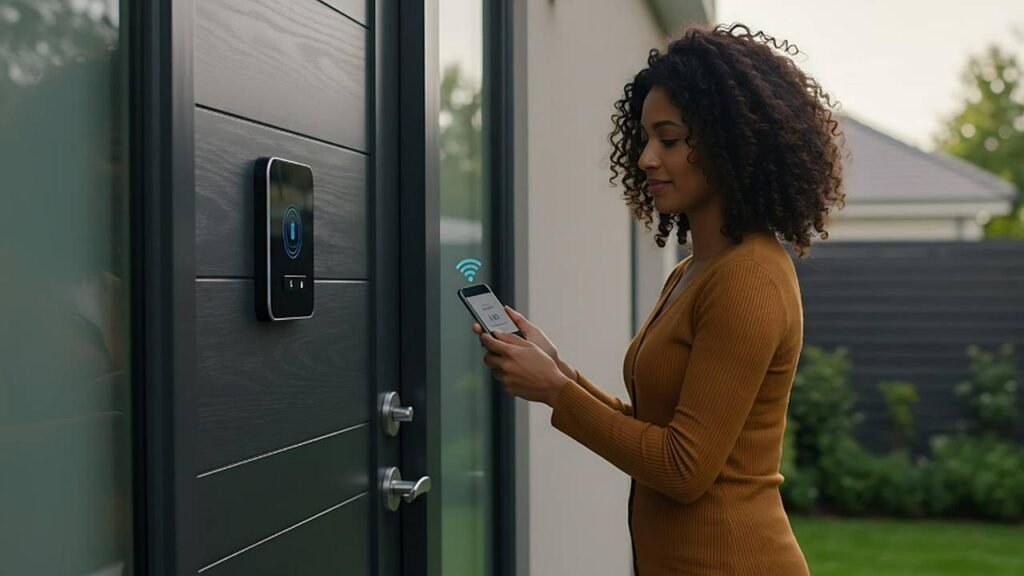
Are you still using a traditional key to access your home, worried about losing it or having it copied without your knowledge? A digital door lock solves this by replacing physical keys with secure digital access methods – PIN codes, fingerprints, smartphone apps, and NFC cards – giving you complete control over who enters your home and when.
What is a Digital Door Lock?
A digital door lock is an electronic locking device that uses digital authentication methods instead of traditional mechanical keys to control access to your home or property. These locks combine advanced microprocessor technology with various input methods to verify identity and grant or deny access.
Unlike conventional locks that rely on a single physical key, digital door locks offer multiple authentication options, access management features, and smart home integration capabilities. They represent a significant evolution in home security, providing both enhanced protection and unprecedented convenience for modern homeowners.
Types of Digital Door Locks
Keypad Digital Locks
The most common type, keypad digital locks use a numeric or alphanumeric keypad to enter a PIN code for access. These are straightforward to use, require no smartphone or special hardware, and work reliably for all family members regardless of age or technical ability. Many models support multiple PIN codes, allowing you to create separate codes for family members, housekeepers, or regular visitors.
Biometric Digital Locks
Biometric digital locks use fingerprint recognition, facial recognition, or other biological identifiers to verify identity. These provide the highest level of security and convenience, as your biometric data cannot be lost, stolen, or forgotten. Modern biometric sensors recognize fingerprints in under 0.3 seconds with exceptional accuracy.
Smart App-Connected Locks
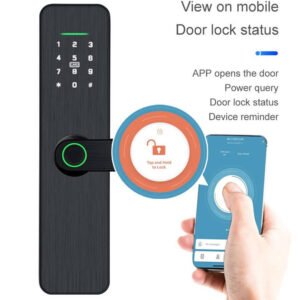
WiFi or Bluetooth-enabled digital locks connect to your smartphone, allowing you to lock and unlock your door remotely, receive access notifications, and manage user permissions from anywhere. These are ideal for property managers, frequent travelers, and anyone who wants complete remote control over their home access.
Multi-Method Digital Locks
The most versatile option, multi-method digital locks combine several authentication methods in a single device. A typical model might offer fingerprint recognition, PIN code, NFC card, smartphone app, and traditional key backup – ensuring you always have a reliable way to access your home regardless of circumstances.
Key Benefits of Digital Door Locks
- Eliminate Key Problems: No more lost keys, unauthorized key copies, or expensive locksmith calls. Digital access methods are inherently more secure than physical keys.
- Flexible Access Management: Create, modify, and delete access permissions instantly. Set time-limited codes for guests, temporary workers, or service providers that expire automatically.
- Complete Access History: Most digital locks maintain detailed logs of every access event, showing who entered and when. This accountability is invaluable for families and property managers.
- Remote Control: WiFi-connected models allow you to lock or unlock your door from anywhere, check lock status, and receive real-time notifications on your smartphone.
- Smart Home Integration: Connect your digital lock with other smart home devices for automated routines – lights that turn on when you unlock the door, alarms that disarm automatically, and more.
- Enhanced Security Features: Anti-tamper alarms, wrong password lockout, and encrypted communications provide multiple layers of protection against unauthorized access attempts.
How to Choose the Right Digital Door Lock
Selecting the ideal digital door lock requires careful consideration of your specific needs, door configuration, and lifestyle requirements.
- Determine Your Primary Access Method: Consider who will use the lock most frequently. Families with young children or elderly members may prefer simple PIN codes, while tech-savvy users might prefer fingerprint or app-based access.
- Assess Connectivity Requirements: If remote access and monitoring are important, choose a WiFi-enabled model. For basic keyless entry without remote features, a standalone digital lock is sufficient and more affordable.
- Check Door Compatibility: Measure your door thickness (typically 35-55mm) and verify the lock fits your door preparation. Most digital locks replace standard deadbolts without requiring door modifications.
- Evaluate Battery Life: Digital locks are typically battery-powered. Look for models with 8-12 month battery life, low-battery warnings, and emergency power options.
- Consider Smart Home Ecosystem: If you use Alexa, Google Home, or Apple HomeKit, choose a compatible lock for seamless integration with your existing smart home setup.
- Review Security Certifications: Look for locks with recognized security certifications and encryption standards to ensure your digital lock provides genuine protection.
Top Features to Look For
- Multiple authentication methods for redundancy and flexibility
- Encrypted communication protocols for data security
- Anti-tamper alarm with automatic lockout after failed attempts
- Auto-lock function with adjustable timing
- Low battery warning with emergency USB charging port
- Access log with timestamp for all entry events
- Remote access and management via smartphone app
- Voice assistant compatibility for hands-free control
Installation Guide
Installing a digital door lock is a straightforward process that most homeowners can complete in 30-60 minutes with basic tools.
- Gather Your Tools: You will need a screwdriver (Phillips and flathead), measuring tape, and possibly a drill for some installations.
- Remove the Existing Lock: Unscrew and carefully remove your current door lock and deadbolt, keeping all hardware for potential reinstallation.
- Prepare the Door: Clean the door surface and verify the borehole dimensions match your new digital lock specifications.
- Install the Lock Body: Insert the digital lock mechanism into the door borehole and secure with the provided mounting screws.
- Attach Interior and Exterior Components: Connect the interior handle and exterior keypad or fingerprint panel, routing any connecting cables carefully through the door.
- Install Batteries: Insert fresh, high-quality batteries as specified by the manufacturer.
- Initial Setup: Follow the manufacturer instructions to set your master PIN code and register any fingerprints or other access credentials.
- Connect to App (if applicable): Download the manufacturer app and follow the pairing instructions to connect your lock to your smartphone.
- Test All Functions: Thoroughly test every access method before considering installation complete.
Conclusion
Digital door locks represent a fundamental upgrade in home security and convenience. By replacing vulnerable physical keys with secure digital authentication, these locks provide better protection, greater flexibility, and complete visibility into who accesses your home.
Whether you choose a simple keypad model for straightforward keyless entry or a fully connected smart lock with remote access and smart home integration, a digital door lock is one of the most impactful security upgrades you can make for your home. The technology is reliable, the installation is straightforward, and the benefits are immediate and lasting.
Make the switch to digital access today and experience the peace of mind that comes with knowing your home is protected by modern, intelligent security technology.
Browse our complete range of digital door locks at ezlivinglocks.com – from simple keypad models to advanced biometric smart locks, we have the perfect digital security solution for every home.