

Smart Lock with Camera: The Ultimate 2026 Guide to Video-Enabled Keyless Security

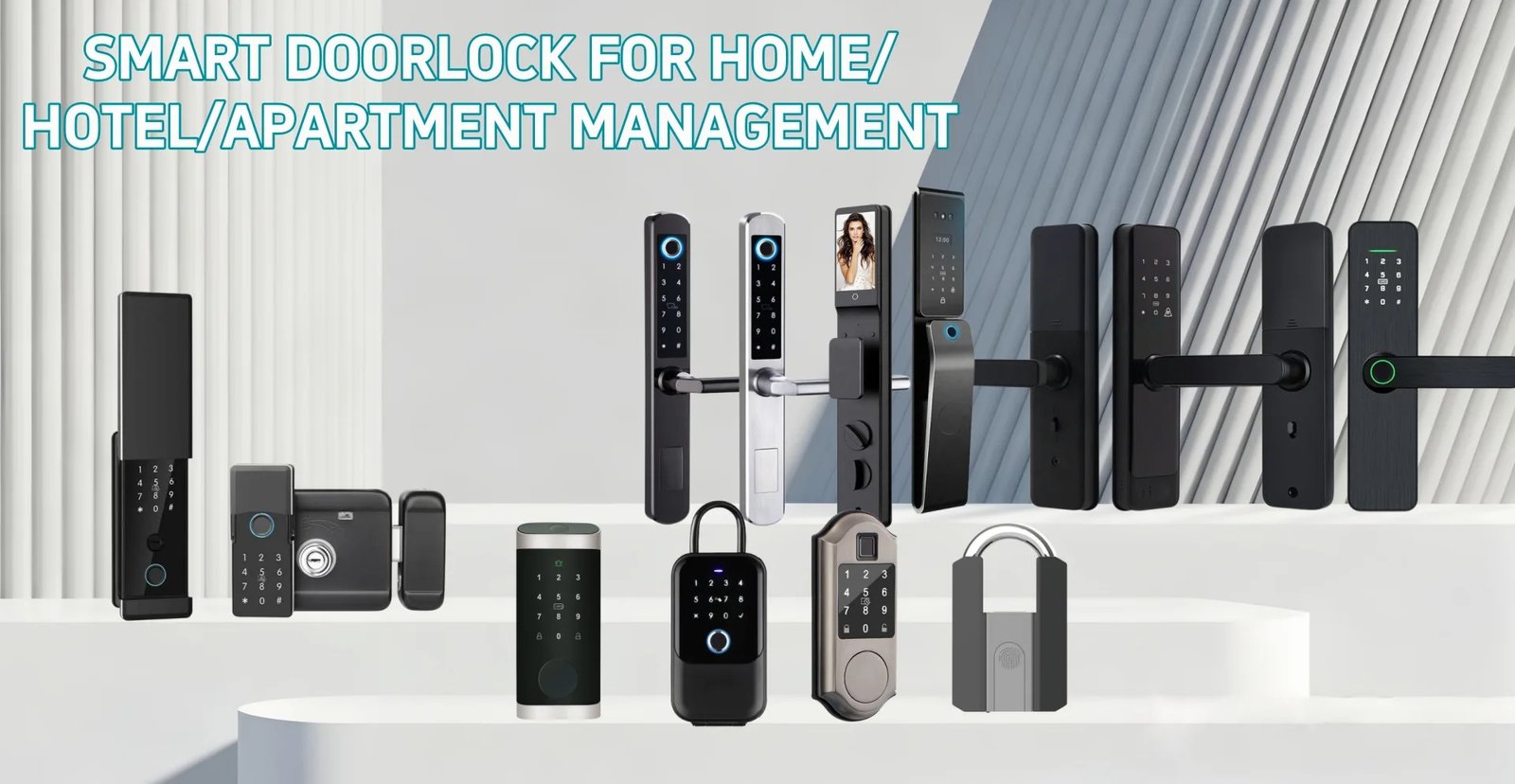
Imagine arriving home late at night, hands full of groceries, and your front door unlocks automatically as you approach — while simultaneously capturing a clear video of anyone who tried to enter while you were away. That’s the promise of a smart lock with camera, and in 2026, it’s no longer a luxury reserved for tech enthusiasts. It’s a practical, affordable upgrade that millions of homeowners are making right now.
Traditional door locks leave you with a fundamental problem: you never really know who came to your door, when they arrived, or whether someone tried to tamper with your lock. A standard smart lock solves the keyless entry part, but it still leaves you blind. A smart lock with built-in camera closes that gap entirely — combining access control with real-time video surveillance in a single, elegant device.
What Is a Smart Lock with Camera?
A smart lock with camera is a door lock that integrates a video camera — and often a doorbell function — directly into the lock hardware. Instead of buying a separate smart lock and a separate video doorbell, you get both in one unit mounted on your door.
These devices typically offer:
- HD video recording (1080p or higher) with wide-angle lens coverage
- Motion detection that triggers recording or alerts when someone approaches
- Two-way audio so you can speak with visitors remotely via your smartphone
- Multiple unlock methods: fingerprint, PIN code, smartphone app, key card, or physical key
- Cloud or local storage for video footage
- Night vision for 24/7 visibility regardless of lighting conditions
- Real-time push notifications when someone approaches or attempts entry
The result is a comprehensive front-door security solution that replaces two separate devices with one smarter, more integrated system.

Key Benefits of a Smart Lock with Camera
1. Complete Front-Door Visibility
The most obvious benefit is knowing exactly what happens at your front door. Whether it’s a package delivery, a neighbor stopping by, or an attempted break-in, your camera-equipped smart lock captures it all. You receive instant notifications on your phone and can review footage at any time.
This is especially valuable for families with children who come home from school before parents arrive. You can watch your child enter safely and even speak with them through the two-way audio feature — all from your office or commute.
2. Deterrence Against Break-Ins
Studies consistently show that visible security cameras deter burglars. A smart lock with a prominent camera sends a clear message: this home is monitored. Most opportunistic thieves will move on to an easier target rather than risk being recorded. The combination of a robust lock mechanism and active video surveillance creates a powerful deterrent effect that neither device achieves alone.
3. Remote Access Management
With a camera-integrated smart lock, you can grant access to visitors even when you’re not home. See who’s at the door via live video, speak with them through two-way audio, and unlock the door remotely with a single tap on your smartphone. This is invaluable for letting in house cleaners, dog walkers, repair technicians, or family members who forgot their keys.
4. Evidence Collection
In the unfortunate event of a crime or dispute, video footage from your smart lock camera can serve as critical evidence. Unlike standalone security cameras that may be positioned at a distance, a door-mounted camera captures close-up, high-resolution footage of anyone who approaches your entrance — making identification far easier for law enforcement.
5. Simplified Installation and Management
Managing one device instead of two means one app, one power source (or battery), one set of settings, and one subscription (if cloud storage is required). This simplification reduces the cognitive load of home security management and eliminates compatibility issues between separate devices from different manufacturers.
6. Increased Property Value
Smart home features, particularly security upgrades, are increasingly valued by homebuyers. Installing a smart lock with camera is a relatively low-cost improvement that can meaningfully increase your home’s appeal and perceived value on the market.

How to Choose the Right Smart Lock with Camera
Not all camera-equipped smart locks are created equal. Here are the most important factors to evaluate before making your purchase:
Video Quality and Field of View
Look for a minimum of 1080p Full HD resolution. Higher-end models offer 2K or even 4K recording. Equally important is the field of view (FOV) — a wider angle (150° or more) captures more of your porch and surrounding area, reducing blind spots. Check whether the camera performs well in low-light conditions; quality night vision is non-negotiable for a front-door security device.
Connectivity Options
Most smart locks with cameras connect via Wi-Fi for remote access and video streaming. Some also include Bluetooth for local control when your internet is down. Consider whether the device supports your preferred smart home ecosystem — Tuya, TTLock, Apple HomeKit, Google Home, or Amazon Alexa — for seamless integration with your existing setup.
Power Source
Camera-equipped smart locks consume more power than standard smart locks due to the video hardware. Options include:
- Battery-powered: Convenient installation, no wiring required, but batteries need regular replacement or recharging (typically every 3–6 months with camera use)
- Hardwired: Continuous power supply, no battery concerns, but requires professional installation or existing wiring
- Rechargeable battery: A middle ground — built-in rechargeable battery charged via USB-C, offering convenience without constant battery replacement
Storage Options
Video footage needs to be stored somewhere. Evaluate:
- Cloud storage: Accessible from anywhere, protected against physical theft of the device, but often requires a monthly subscription fee
- Local storage (microSD): No ongoing fees, but footage is lost if the device is stolen or damaged
- Hybrid: Some models offer both options, giving you redundancy and flexibility
Access Methods
The best smart locks with cameras offer multiple ways to unlock the door, ensuring you’re never locked out. Look for a combination of:
- Fingerprint biometric (fastest and most convenient)
- PIN keypad (reliable backup)
- Smartphone app (remote access)
- Key card or fob (great for guests)
- Physical key (emergency backup)
Weather Resistance
Your front door lock is exposed to the elements year-round. Ensure the device carries an appropriate IP rating — at minimum IP65 (dust-tight and protected against water jets). For harsh climates, look for IP67 or IP68 ratings. Also check the operating temperature range to ensure the lock functions reliably in your local climate extremes.
Privacy Considerations
A camera at your front door raises legitimate privacy questions. Check the manufacturer’s data privacy policy — where is footage stored, who has access to it, and how long is it retained? Look for end-to-end encryption for video streams and stored footage. Also consider local regulations regarding surveillance cameras, particularly if your camera captures public spaces or neighboring properties.
Top Features to Look for in 2026
The smart lock with camera market has evolved rapidly. Here are the standout features that distinguish premium 2026 models from the competition:
AI-Powered Person Detection
Basic motion detection triggers alerts for any movement — including passing cars, blowing leaves, or neighborhood animals. Advanced AI-powered person detection filters out these false positives and only alerts you when a human is detected. Some premium models go further with facial recognition, automatically identifying known household members versus strangers and adjusting access permissions accordingly.
Package Detection
With the explosion of online shopping, package theft has become a significant concern. Some smart locks with cameras now include dedicated package detection — alerting you when a delivery is left at your door and monitoring the area until you retrieve it or confirm it’s secure.
Auto-Lock and Auto-Unlock
Geofencing technology allows your smart lock to automatically unlock as you approach home (detected via your smartphone’s GPS) and lock behind you when you leave. This hands-free convenience is particularly appreciated when carrying groceries, luggage, or children.
Tamper Alerts
Premium models include tamper detection sensors that immediately alert you if someone attempts to physically force, drill, or otherwise compromise the lock. Combined with the camera footage, this gives you real-time awareness of any security threat.
Visitor Log with Video
Beyond simple access logs, camera-equipped smart locks maintain a visual visitor log — a timestamped record of every person who approached your door, complete with video clips. This is invaluable for reviewing who came by while you were away and provides a comprehensive audit trail of all door activity.

Installation Guide: Setting Up Your Smart Lock with Camera
Most smart locks with cameras are designed for DIY installation and can be completed in 30–60 minutes with basic tools. Here’s a general step-by-step guide:
Step 1: Check Door Compatibility
Before purchasing, verify that your door is compatible:
- Door thickness: Most smart locks accommodate doors 35–55mm thick. Measure your door and check the product specifications.
- Backset: The distance from the door edge to the center of the lock hole (typically 60mm or 70mm). Ensure your chosen lock matches.
- Door material: Most locks work with wood, metal, and fiberglass doors. Some may not be suitable for glass doors (check for specialized glass door smart locks).
- Existing hardware: Note whether you’re replacing a deadbolt, a handle set, or a mortise lock, as this affects which replacement models are compatible.
Step 2: Gather Your Tools
You’ll typically need:
- Phillips head screwdriver
- Flathead screwdriver
- Drill (if new holes are required)
- Hole saw (for new installations)
- Measuring tape
- Pencil for marking
Step 3: Remove the Existing Lock
Remove the existing door lock hardware according to its specific design. This typically involves removing screws from the interior escutcheon plate, withdrawing the lock cylinder, and removing the latch bolt from the door edge. Keep the existing strike plate if it’s compatible with your new lock.
Step 4: Install the New Latch and Strike Plate
Insert the new latch bolt into the door edge hole and secure it with the provided screws. Install or adjust the strike plate on the door frame, ensuring proper alignment for smooth latching. Test the latch operation before proceeding.
Step 5: Mount the Exterior Unit
The exterior unit (containing the camera, keypad, and fingerprint sensor) mounts on the outside of the door. Thread the connecting cable through the door hole (if applicable), position the exterior unit, and secure it with the provided mounting hardware. Ensure the camera is positioned at the correct angle to capture approaching visitors.
Step 6: Install the Interior Unit
Connect the interior unit to the exterior unit via the connecting cable or mounting spindle. Secure the interior unit to the door with the provided screws. Install batteries (if battery-powered) or connect to power wiring (if hardwired).
Step 7: Configure the Lock and App
Download the manufacturer’s app on your smartphone and follow the setup wizard to:
- Connect the lock to your Wi-Fi network
- Create your administrator account and PIN
- Enroll fingerprints for household members
- Configure camera settings (resolution, motion sensitivity, recording triggers)
- Set up cloud storage or local storage preferences
- Enable notifications and customize alert preferences
- Test all access methods to confirm proper operation
Step 8: Test Thoroughly
Before considering installation complete, test every access method from both inside and outside the door. Verify that the camera captures clear video, that motion alerts are working, and that remote unlock functions correctly via the app. Keep the physical key backup accessible until you’re fully confident in the system.
Smart Lock with Camera vs. Smart Lock + Separate Video Doorbell
A common question is whether to buy an integrated smart lock with camera or to combine a standard smart lock with a separate video doorbell like Ring or Nest Hello. Here’s a quick comparison:
| Factor | Integrated Smart Lock with Camera | Smart Lock + Separate Doorbell |
|---|---|---|
| Installation complexity | Single device, simpler | Two devices, more complex |
| Cost | Typically lower total cost | Higher combined cost |
| App management | One app | Two apps (often) |
| Aesthetics | Cleaner, unified look | Two separate units on door |
| Camera position | At lock height | Flexible positioning |
| Ecosystem flexibility | Limited to one brand | Mix best-in-class devices |
| Power management | Single power source | Two separate power sources |
For most homeowners, the integrated approach offers a better balance of convenience, cost, and aesthetics. The separate device approach makes more sense if you already have a video doorbell you’re happy with, or if you need the camera positioned at a different height than the lock.
Maintenance Tips for Long-Term Performance
To keep your smart lock with camera performing optimally:
- Clean the camera lens regularly — dust, rain spots, and spider webs can significantly degrade video quality. A soft microfiber cloth works well.
- Monitor battery levels — set up low-battery alerts in the app and keep spare batteries on hand. Camera operation drains batteries faster than lock-only models.
- Keep firmware updated — manufacturers regularly release updates that improve performance, add features, and patch security vulnerabilities. Enable automatic updates if available.
- Review and clean up stored footage — if using local storage, periodically review and delete old footage to prevent the storage card from filling up.
- Test backup access methods — periodically verify that your PIN code and physical key backup still work correctly.
- Check weatherproofing seals — inspect the exterior unit annually for any signs of water ingress or seal degradation, particularly after harsh weather.
Conclusion: Is a Smart Lock with Camera Worth It?
A smart lock with camera represents one of the most impactful single upgrades you can make to your home security. By combining keyless access control with real-time video surveillance, you eliminate the blind spots that traditional locks and even standard smart locks leave behind.
The peace of mind that comes from knowing you can see, hear, and control your front door from anywhere in the world — whether you’re at work, on vacation, or simply in another room — is genuinely transformative. Add in the deterrence effect, the evidence-collection capability, and the convenience of hands-free access, and the value proposition becomes compelling for virtually any homeowner.
When choosing your smart lock with camera, prioritize video quality, weather resistance, reliable connectivity, and a trustworthy manufacturer with a strong privacy policy. The best smart lock with camera isn’t necessarily the most expensive one — it’s the one that fits your door, your lifestyle, and your security needs.
At EZ Living Locks, we offer a carefully curated selection of smart locks with integrated camera capabilities, designed for easy DIY installation and long-term reliability. Browse our collection to find the perfect camera-equipped smart lock for your home — and take the first step toward truly comprehensive front-door security.