
How to Choose the Best Smart Door Lock: The Ultimate Buyer’s Guide for 2026

Introduction – Problem-Solution
With hundreds of smart door locks on the market, choosing the right one can feel overwhelming. Different brands, connection types, access methods, and price points make it difficult to know where to start. This guide cuts through the confusion and gives you a clear, step-by-step framework for choosing the best smart door lock for your specific home, lifestyle, and budget – so you can make a confident decision and enjoy keyless security from day one.
Step 1 – Understand Your Door Type and Compatibility
Before browsing smart locks, start with your door. Not every lock fits every door, and buying the wrong one means returning it before you even get started.
Door Thickness
Most smart locks are designed for doors between 35mm and 55mm thick. Measure your door at the edge where the lock will be installed. If your door is unusually thin (common in apartments) or thick (common in solid wood or security doors), look for locks that specify compatibility with your door thickness.
Door Material
Standard wooden doors work with virtually all smart locks. Metal doors, glass doors, and sliding doors require specific lock types. If you have a glass door or sliding door, look for locks designed specifically for those applications – standard deadbolt-style locks will not work.
Existing Lock Preparation
Check whether your door already has a standard borehole (the hole where the lock cylinder sits). Most smart locks are designed as drop-in replacements for standard deadbolts. If your door has a non-standard preparation, you may need a lock that includes a full installation kit or professional installation.
Step 2 – Choose Your Access Methods
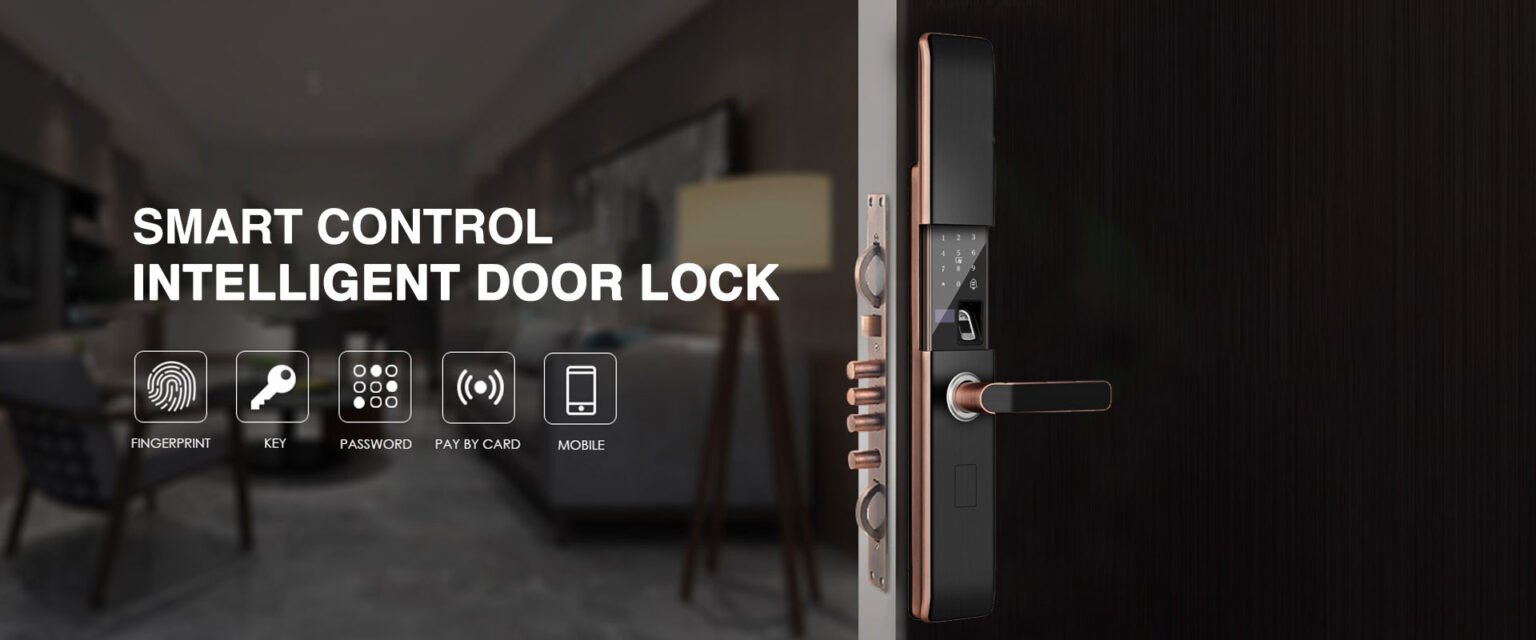
The access method is how you (and others) will unlock the door day to day. Most modern smart locks offer multiple methods – here is what each one offers.
PIN Code / Keypad
The most universal access method. A numeric keypad lets anyone with the correct code unlock the door without a phone or key. Ideal for families with children, elderly relatives, or anyone who prefers simplicity. Look for backlit keypads for easy use at night and anti-peep technology that scrambles the keypad display to prevent code theft.
Fingerprint Recognition
Fast, convenient, and impossible to forget or lose. Modern fingerprint sensors recognize registered prints in under 0.3 seconds with high accuracy. Ideal for primary residents who want the fastest possible entry. Most locks store 50 to 100 fingerprints, accommodating the whole family.
Smartphone App
WiFi or Bluetooth-connected locks can be unlocked via a smartphone app. This is the most flexible method – you can unlock remotely, share access with guests, and receive notifications. The downside is dependency on your phone battery and internet connection.
NFC Card or Key Fob
Tap an NFC card or key fob against the lock to unlock. Fast and convenient, similar to a hotel key card. Good as a backup method or for users who prefer not to use a phone or memorize a code.
Physical Key Backup
Always choose a lock that includes a physical key backup. No matter how reliable your smart lock is, batteries die and technology fails. A physical key ensures you are never locked out of your own home.
Step 3 – Decide on Connectivity
Connectivity determines how smart your lock actually is – whether you can control it remotely, integrate it with other devices, and receive real-time notifications.
WiFi Smart Locks
Connect directly to your home WiFi network for full remote access from anywhere. You can lock and unlock from the other side of the world, receive instant notifications, and integrate with smart home platforms. WiFi locks consume more battery power, so expect to change batteries every 3 to 6 months.
Best for: Homeowners who travel frequently, rental property managers, anyone who wants full remote control.
Bluetooth Smart Locks
Connect to your smartphone via Bluetooth for local control. You can auto-unlock as you approach the door (hands-free entry) and manage settings via app when nearby. No remote access without an additional hub. Battery life is typically longer than WiFi locks.
Best for: Users who primarily want hands-free entry and local app control without the complexity of WiFi setup.
Standalone Smart Locks
No wireless connectivity – just a keypad and/or fingerprint sensor. The simplest and most reliable option with the longest battery life. No app, no remote access, no smart home integration.
Best for: Users who want keyless convenience without any smart features, or locations without reliable WiFi.
Step 4 – Consider Smart Home Integration
If you already have smart home devices, compatibility with your existing ecosystem matters. Check whether the lock works with your preferred platform before buying.
- Amazon Alexa: Voice control – lock and unlock with voice commands, check lock status hands-free.
- Google Home: Integrates with Google Assistant for voice control and automation routines.
- Apple HomeKit: Secure integration with iPhone and Siri, with end-to-end encryption for maximum privacy.
- Tuya / Smart Life: Connects with thousands of Tuya-compatible devices for comprehensive smart home automation.
- TTLOCK: Dedicated platform with excellent access management features, popular for rental properties and commercial use.
Step 5 – Evaluate Security Features
A smart lock should be at least as secure as the traditional lock it replaces – ideally more so. Look for these security features when comparing models.
- Anti-Tamper Alarm: Triggers an audible alarm if someone attempts to force or tamper with the lock.
- Wrong Password Lockout: Temporarily disables the keypad after a set number of incorrect attempts, preventing brute-force attacks.
- Encrypted Communication: All data transmitted between the lock and app should use AES-128 or higher encryption.
- Auto-Lock Function: Automatically locks the door after a set time, ensuring you never accidentally leave home unlocked.
- Access Logs: Detailed records of every lock and unlock event with timestamps, so you always know who accessed your home and when.
Step 6 – Check Battery Life and Power Options
Smart locks are battery-powered, and a dead battery at the wrong moment can leave you locked out. Battery performance varies significantly between models.
Standard AA or AAA batteries are the most common power source and are easy to replace anywhere in the world. Look for locks with 6 to 12 months of battery life under normal use. Always choose a lock with a low-battery warning that alerts you well in advance – ideally when 20 to 30 percent battery remains.
Some locks include an emergency USB charging port on the exterior, allowing you to temporarily power the lock with a power bank if the batteries die completely. This is a valuable safety feature worth prioritizing.
Step 7 – Set Your Budget
Smart door locks range from budget-friendly to premium, and price generally reflects features and build quality.
- Entry Level (under $80): Basic keypad or fingerprint locks with no connectivity. Reliable for keyless entry without smart features.
- Mid Range ($80 to $200): Bluetooth or WiFi connectivity, multiple access methods, app control, and access logs. The sweet spot for most homeowners.
- Premium ($200 and above): Advanced biometrics, full smart home integration, premium materials, extended warranties, and professional-grade security certifications
Quick Decision Checklist
Use this checklist to narrow down your options quickly:
- What is my door type and thickness? ___
- Who needs access? (family only / guests / cleaners / tenants)
- Do I need remote access when away from home? (Yes = WiFi lock)
- Do I want smart home integration? (Yes = check platform compatibility)
- What is my budget? ___
- Do I need weatherproofing for an outdoor installation? (Yes = check IP rating)
Conclusion
Choosing the best smart door lock comes down to matching the lock’s features to your specific needs. Start with your door type and compatibility, decide which access methods suit your household, choose the right connectivity level, and verify smart home integration if needed. Then compare options within your budget that meet all your requirements.
The best smart door lock is not necessarily the most expensive or feature-packed – it is the one that fits your door, suits your lifestyle, and gives you confidence that your home is secure every time you leave.
Ready to find your perfect smart door lock? Browse our full collection at ezlivinglocks.com – featuring locks for every door type, budget, and smart home ecosystem, with expert guidance to help you choose with confidence.