TTLOCK Smart Door Lock: The Complete Guide to TTLock App-Based Access Control in 2026

Introduction – Problem-Solution
Managing access for multiple people across multiple properties is a logistical nightmare with traditional keys. Whether you run short-term rentals, manage an office, or simply want granular control over who enters your home and when, physical keys fall short. TTLock smart door locks solve this with a powerful, dedicated access management platform that lets you create, schedule, and revoke access for unlimited users – all from your smartphone, in seconds.
What is TTLock?
TTLock is a dedicated smart lock platform developed specifically for intelligent access control. Unlike general smart home platforms such as Tuya or Google Home, TTLock is purpose-built for door locks – meaning every feature, every setting, and every automation is designed around the specific needs of lock management.
The TTLock ecosystem consists of the TTLock app (available for iOS and Android), a cloud-based access management backend, and a wide range of compatible smart locks from various manufacturers. The platform is widely used in residential, hospitality, and commercial settings around the world, trusted for its reliability and depth of access management features.
Key Features of TTLock Smart Locks
- Unlimited eKeys: Create and share digital keys with any number of users via the TTLock app. Recipients do not need to own the lock – just the app.
- Scheduled Access: Set precise time windows for each eKey. A cleaner’s key works only on Tuesday mornings; a guest’s key expires automatically at checkout.
- One-Time Passwords: Generate single-use PIN codes for delivery drivers, maintenance workers, or one-time visitors – the code works once and never again.
- Periodic Passwords: Create codes that refresh automatically on a daily, weekly, or monthly cycle – ideal for regular service providers.
- Remote Unlock: With a TTLock Gateway connected to your WiFi, unlock your door remotely from anywhere in the world via the app.
- Access Logs: Every lock and unlock event is recorded with a timestamp and user identity, giving you a complete audit trail.
- Multiple Access Methods: Fingerprint, PIN code, NFC card, Bluetooth app, and physical key backup – all managed from one platform.
- Sub-Account Management: Grant management permissions to other users, allowing property managers or family members to manage access independently.
TTLock vs Other Smart Lock Platforms
Understanding how TTLock compares to other platforms helps you decide if it is the right choice for your needs.
TTLock vs Tuya Smart
Tuya is a broad smart home platform covering hundreds of device types. TTLock is a specialist platform focused exclusively on locks. For pure access management – especially for rental properties or commercial use – TTLock’s dedicated features such as scheduled eKeys, one-time passwords, and sub-account management are significantly more powerful than Tuya’s lock management capabilities.
TTLock vs Generic Bluetooth Locks
Generic Bluetooth locks typically offer basic app control with limited user management. TTLock provides a full cloud-based access management system with remote access (via gateway), detailed logs, and sophisticated scheduling – far beyond what generic Bluetooth locks offer.
Setting Up TTLock: Step by Step
- Download the TTLock App: Install the TTLock app from the App Store or Google Play and create a free account.
- Install Your Lock: Follow the manufacturer instructions to install your TTLock-compatible smart lock on your door.
- Add the Lock to the App: Open the app, tap the add button, and follow the Bluetooth pairing process to connect your lock.
- Set Your Admin PIN: Configure your master administrator PIN code – keep this secure as it provides full lock access.
- Register Fingerprints: Add fingerprints for all regular users directly through the app or on the lock’s sensor.
- Install a Gateway (Optional): For remote access, connect a TTLock Gateway to your home WiFi and pair it with your lock in the app.
- Create and Share eKeys: Generate digital keys for family members, guests, or staff and send them directly via the app.
- Configure Schedules: Set time restrictions on any eKey to control exactly when each person can access your property.
Best Use Cases for TTLock
Short-Term Rental Properties (Airbnb / Vrbo)
TTLock is exceptionally popular among short-term rental hosts. Create a unique eKey or PIN code for each guest booking, set it to expire automatically at checkout, and never worry about key handovers or unreturned keys again. The access log shows exactly when guests arrived and departed.
Residential Homes
For families, TTLock provides clean, organized access management. Each family member has their own fingerprint and eKey. Temporary codes for housekeepers, dog walkers, or repair technicians can be created in seconds and revoked just as quickly.
Small Offices and Commercial Spaces
TTLock’s sub-account system allows office managers to control access for employees without involving the property owner. Detailed logs provide accountability, and scheduled access ensures staff can only enter during authorized hours.
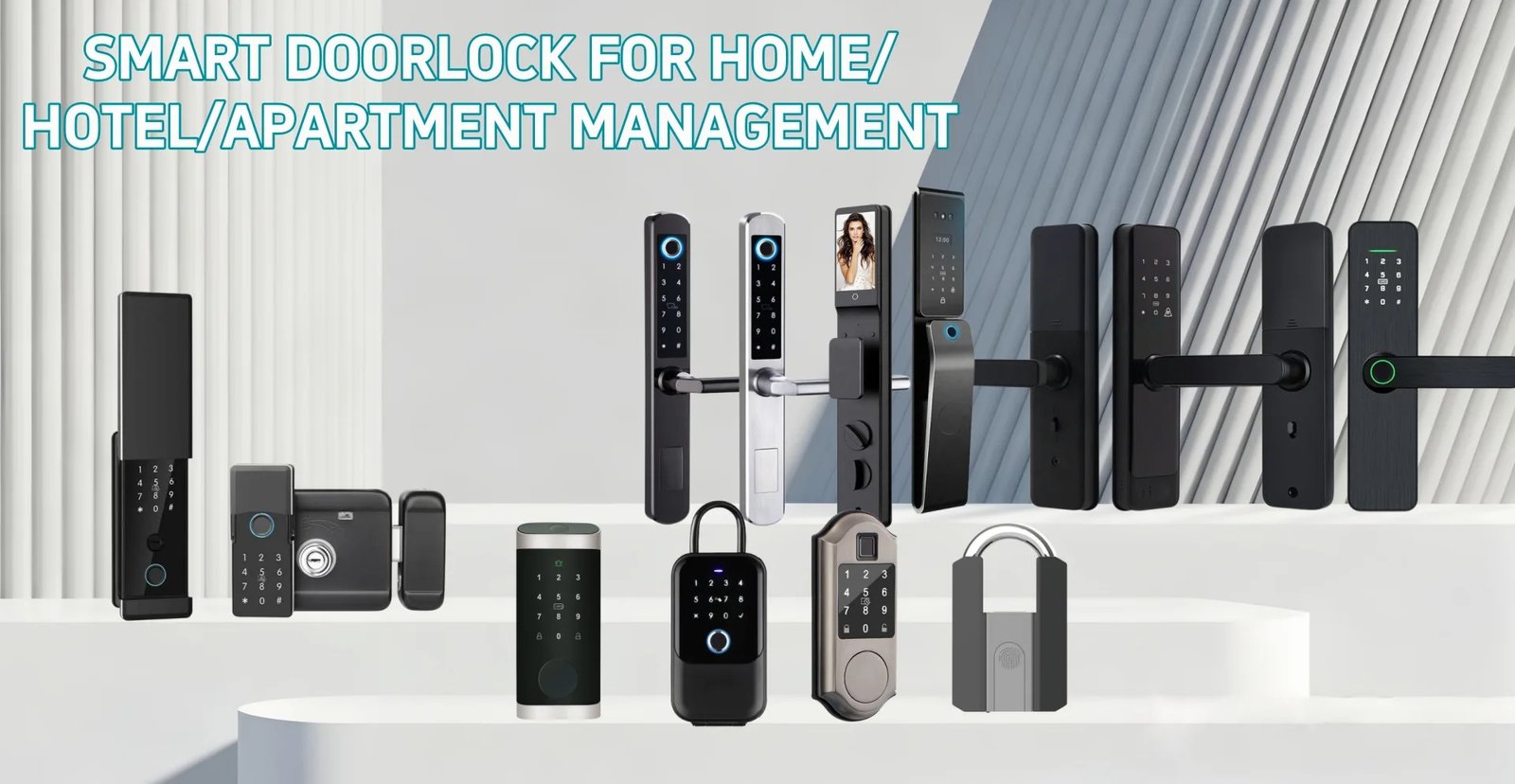
How to Choose a TTLock-Compatible Smart Lock
- Verify TTLock Compatibility: Look for the TTLock logo or explicit TTLock compatibility in the product description. Not all smart locks use the TTLock platform.
- Choose Your Access Methods: Decide which combination of fingerprint, PIN, NFC, and app access suits your household or business.
- Consider Gateway Requirements: If remote access is important, ensure the lock is compatible with the TTLock Gateway and factor in the gateway cost.
- Check Door Compatibility: Verify the lock fits your door thickness and preparation before purchasing.
- Assess Build Quality: For high-traffic commercial use, prioritize locks with durable zinc alloy or stainless steel construction.
Conclusion
TTLock smart door locks offer one of the most powerful and flexible access management platforms available for residential and commercial use. The combination of scheduled eKeys, one-time passwords, detailed access logs, and remote unlock capability makes TTLock the go-to choice for anyone who needs serious control over who enters their property and when.
Whether you manage a single home or a portfolio of rental properties, TTLock gives you the tools to handle access professionally, efficiently, and securely – all from your smartphone.
Explore our range of TTLock-compatible smart door locks at ezlivinglocks.com – professional access management for homes, rentals, and businesses, with free shipping and expert support.